
0%

If your subsidy has not arrived, find out which stage it is stuck at and what to do next.
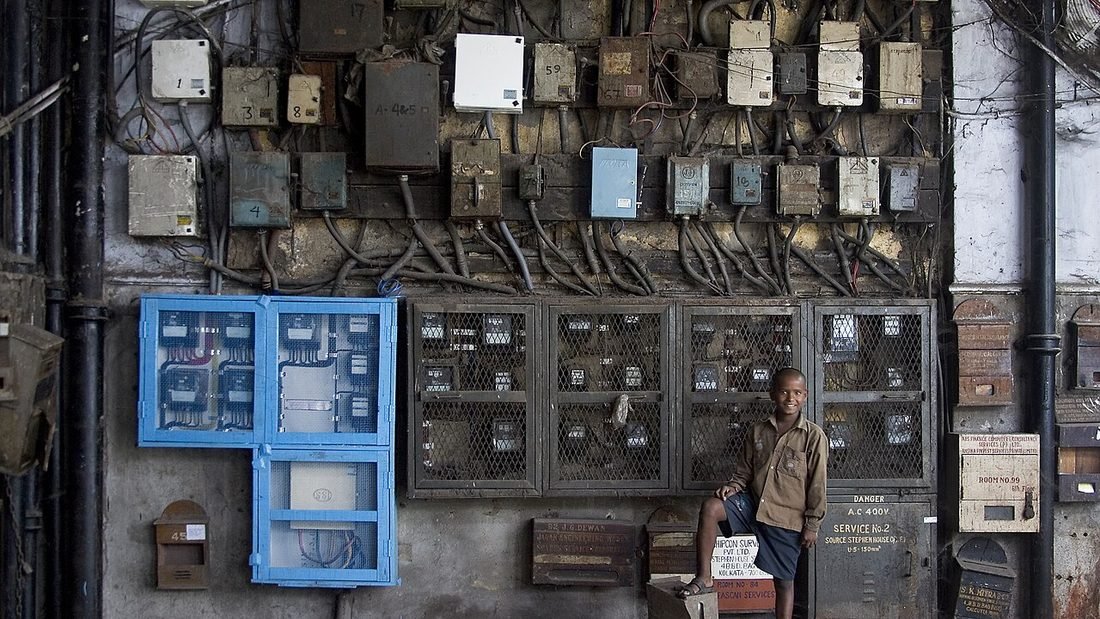
Image: India - Kolkata electricity meters - 3832 by Jorge Royan, CC BY-SA 3.0, via Wikimedia Commons.
You installed the panels, the meter is running and the subsidy has not arrived. This is one of the most common worries we hear from households applying for PM Surya Ghar Yojana in Raipur. The good news is that most delays are traceable to one stage and fixable. This guide shows how to read your status, the usual reasons for delay and how to escalate if a file is stuck.
Quick answer: log in to the portal, read the stage your application is at, find out whose action is pending (you, your installer, CSPDCL or the bank), fix or chase that item and escalate through the grievance channels only if the file stays stuck.
| Portal stage | Whose action | What to do if it is stuck |
|---|---|---|
| Registered and applied | You | Complete profile, upload documents |
| Vendor selected | You and vendor | Confirm vendor acceptance and quotation |
| Feasibility approval | CSPDCL | Ask your vendor to follow up at the division office |
| Installation details uploaded | Vendor | Confirm the vendor has uploaded modules, inverter and photos |
| Net meter installed | CSPDCL | Follow up on meter availability and appointment |
| Inspection | CSPDCL | Request a date; keep documents on site |
| Commissioning report | CSPDCL and vendor | Ensure the report is generated and signed off |
| Bank details and subsidy request | You | Upload a correct cancelled cheque and bank details |
| Subsidy released | Scheme | Check that the bank account is active and linked correctly |
Escalate step by step. Start with your installer, who should chase the stage that sits with them. Then approach the CSPDCL division or sub-division office with your documents. Use the help channels listed on the national portal. If none of these resolves the matter, central schemes can be raised through the public grievance portal CPGRAMS, and distribution companies have consumer grievance mechanisms for meter and inspection issues. Keep a complete record of every communication so that a complaint can be traced.
Use one consistent name across Aadhaar, the electricity bill and the bank account. Clear any dues on the connection. Check the sanctioned load against the system size before you order. Choose a registered vendor and ask them to confirm module compliance documents upfront. Follow our checklist in solar subsidy apply online in Chhattisgarh and read PM Surya Ghar Yojana in Chhattisgarh for the amounts.
Two to three months from application to subsidy is a common experience for households whose files are complete. Delays beyond that usually have an identifiable cause. If your commissioning report is approved and the portal shows the subsidy request raised, release timelines are typically shorter than the earlier stages. These are indicative, and actual timelines vary by office and by season.
When writing to your installer, be specific. A good message includes your name, application number, the stage shown on the portal and a clear question, for example: "My application shows the commissioning report as pending since the meter was installed. Please confirm whether the report has been uploaded and, if not, when it will be." A written message creates a record, and a polite, specific question usually gets a faster answer than a general complaint.
| Document | Why you need it |
|---|---|
| Application or registration number | Lets the officer find your file |
| Latest electricity bill and consumer number | Confirms your connection |
| Installation details and invoice copy | Proves capacity and equipment |
| Net meter details | Confirms the metering stage |
| Screenshots of the portal status | Shows where the file stands |
| Photo ID | Often asked at the counter |
Bring copies, be polite and ask for the name and contact of the officer you are dealing with. Ask what is pending and what the expected date is.
If you installed with a vendor who is not responsive, ask the portal helpdesk whether the file can be supported by another registered vendor, or seek help from a responsive installer who will review the file. Do not pay anyone a fee to speed up a subsidy; no legitimate service sells faster government processing. Document everything, and escalate in writing if the issue persists.
Households that follow this list tend to avoid the usual delays. If yours is already stuck, the table above and the escalation path should get things moving again.
Create one folder, paper or digital, with your application number, consumer number, quotation, invoices, photographs, portal screenshots, the commissioning report and every message you sent or received about the file. If you ever need to escalate, this folder lets you present a clear timeline in a few minutes. It also helps if you change vendors or if a new officer takes over your case. Organised records are the cheapest way to prevent a delay from becoming a dispute.
If you are still planning, start with solar in Raipur and the official-style overview on our PM Surya Ghar Yojana in Raipur page. A responsive solar company in Raipur handles follow-ups for you, and our rooftop solar installation in Raipur team includes the full paperwork. Use the best solar installer in Raipur checklist before you pay. For the state picture, read solar in Chhattisgarh, how to choose a solar company in Chhattisgarh and what rooftop solar installation in Chhattisgarh involves.
Log in to the national portal with your registered mobile number and open your application. The dashboard shows the current stage, from feasibility approval and installation to inspection, commissioning and subsidy release.
The portal aims to release the central subsidy within about a month of the commissioning report. In practice the whole journey from application to payment often takes two to three months, longer if documents are missing.
Common reasons are a pending CSPDCL inspection, an unsigned commissioning report, a bank account mismatch, missing documents or a module compliance question. The portal stage usually points to the cause.
Start with your installer and the CSPDCL division office. Then use the portal's help channels and, for unresolved cases, the central grievance portal CPGRAMS. Keep all application numbers and screenshots.
Generally the process requires application and feasibility approval before installation. If you installed first, check your options with the portal and your distribution company before assuming the subsidy is lost.
Bring your application number and documents and we will help you find the stage that is holding the file. Visit C-29, Sector 3, Devendra Nagar, Raipur, Chhattisgarh 492001, call 083051 31420 or send your details. We help whether or not we installed your system.
A good solar company in Raipur survey comes first. Read about solar in Raipur, compare firms with our best solar company in Raipur questions and see how solar installation in Raipur works in your solar Raipur neighbourhood. Browse every article on the solar blog, or see PM Surya Ghar Yojana in Raipur and our solar services.
Stage-by-stage diagnosis and follow-up from a team that handles PM Surya Ghar applications every week in Raipur.